Non-technical AI builder & coach

I build with AI.
No code. No gurus.

I’m Lokesh, a non-technical builder. I create AI systems, automations and websites for businesses.

My story
Lokesh

My story

Before 2022

I was already building without code.

I made logos, slides, banners and marketing funnels. I also built chatbots where every reply and every path had to be planned in advance. I didn’t know how to code. I kept finding tools that helped me turn an idea into something people could use.
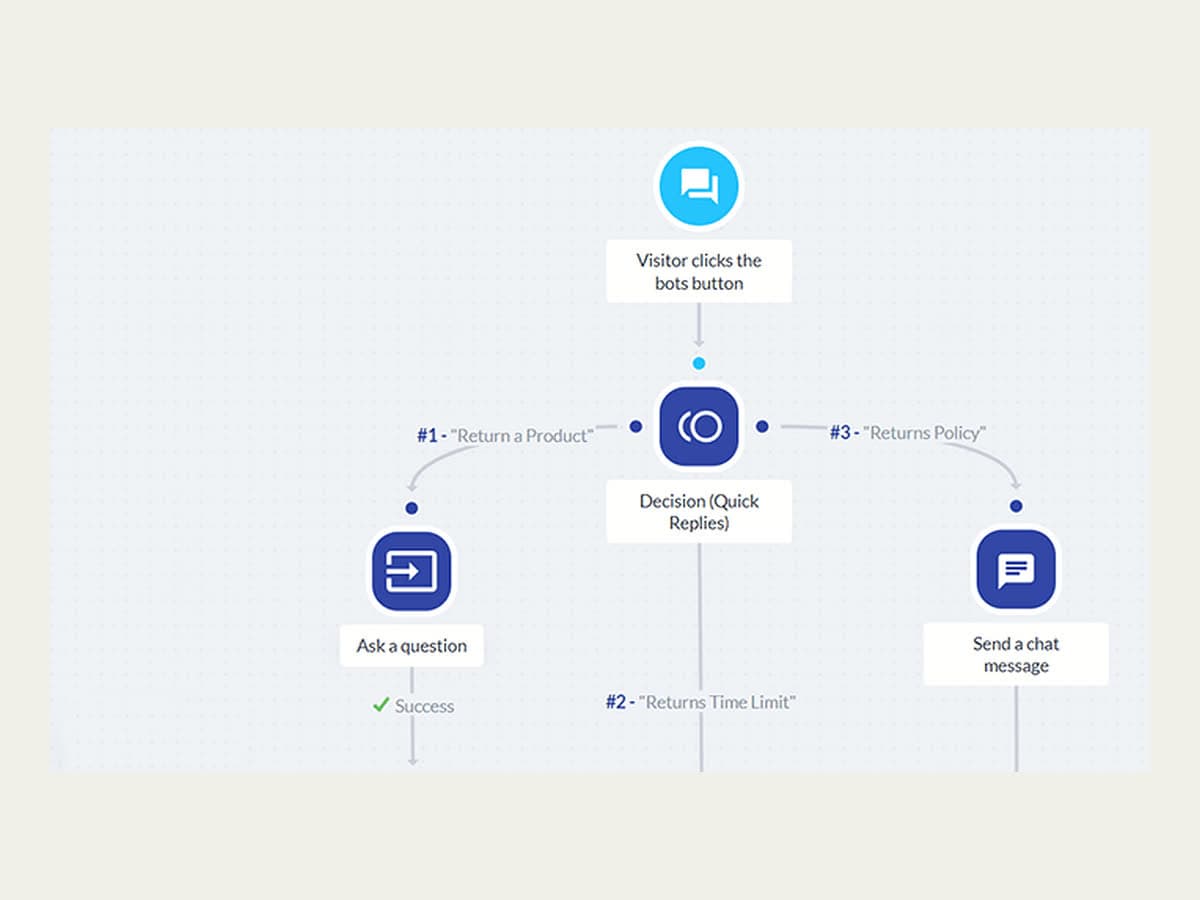
A chatbot builder canvas: a visitor’s click branches through a quick-reply decision node into three pre-planned replies.

2022–2025

One conversation became many useful moments

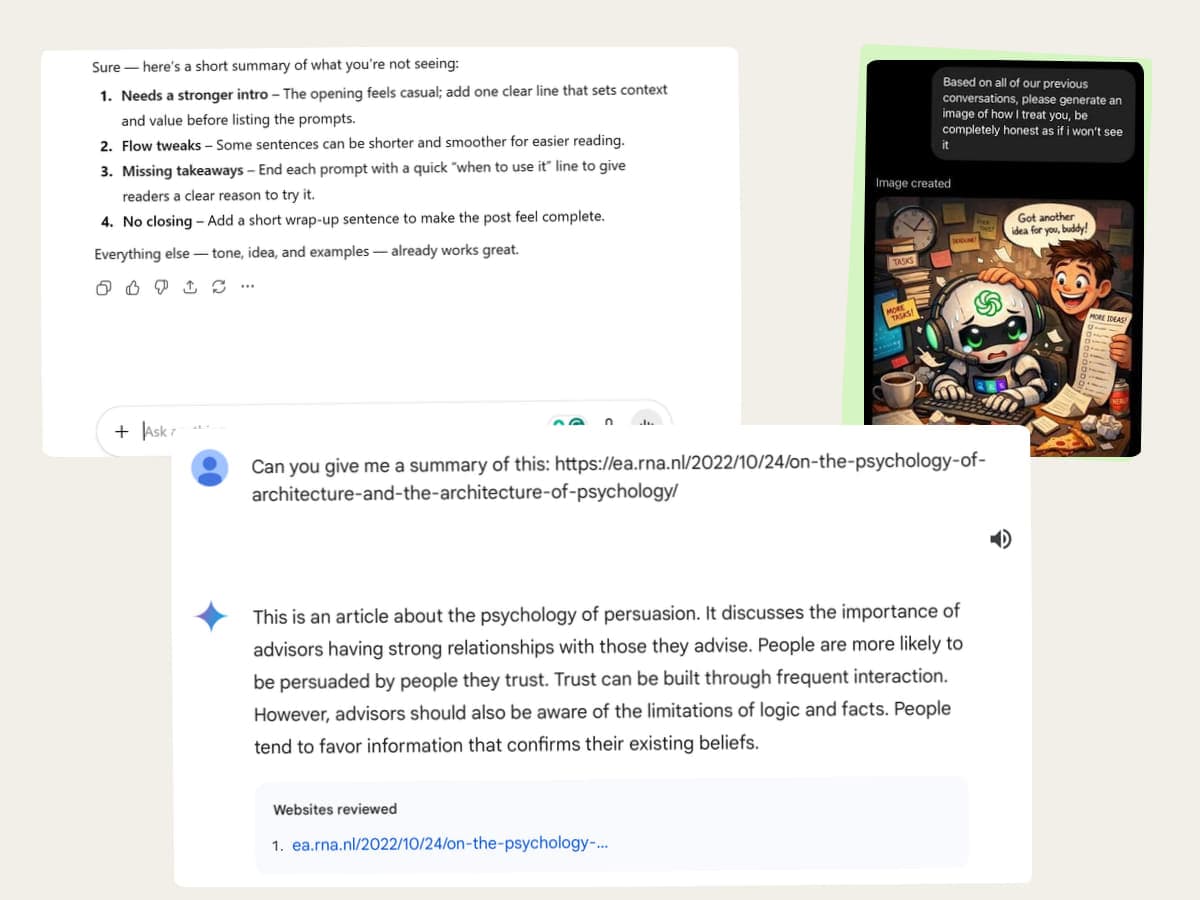
ChatGPT began with a simple shock: I could talk to a computer without choosing from predefined branches. Then the uses became ordinary in the best way — brainstorming an idea, researching a question, improving a draft, generating an image, summarizing a file, or making something I could share.

Some uses took five minutes. Others grew into websites, reusable skills, and workflows. They all began the same way: one real thing I wanted help with.

Three real AI conversations laid out as a contact sheet: written feedback on a draft, a generated illustration, and a summary of a linked article.

2026–Today

Chat for a conversation. Work or Cowork for a handoff.

I stay in Chat when I want to think with AI: drafting, asking a quick question, or arguing an idea through. I open Work or Cowork when I want to hand over a bounded job and get a checked file back.

The tools overlap. Chat can read files, and Work and Cowork can hold a conversation. The rule is about how I want to work, and it tells me where to start.

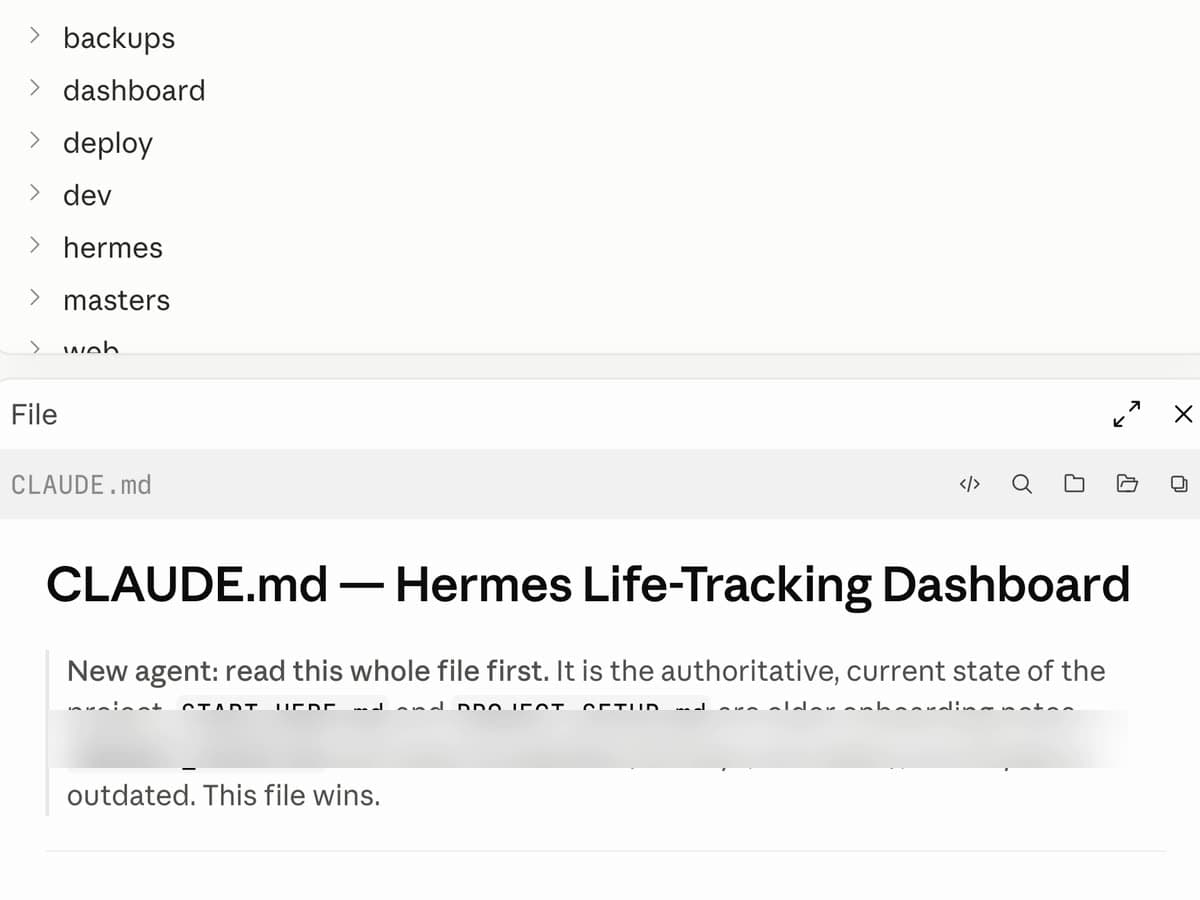
A real project folder tree above an open CLAUDE.md handoff file telling the next AI to read it first as the authoritative state of the project; one private setup line is blurred.
Lokesh outdoors, resting his chin on his hand and smiling slightly off-camera, in soft overcast daylight.

The Loop

Stop starting from zero.

Before every repeat client meeting, I had to rebuild the client's history from scattered notes.

  1. 01

    Bring one real task

    I would open the notes from the last call, then the call before that, then search my email for a deadline the client gave me three weeks ago. After five minutes I remembered the project. I still didn't remember what had happened in the relationship. I didn't need more notes. I needed the right ones, before the call.

  2. 02

    Give it one place to look

    I gave each client their own folder, and every meeting the same six headings. Granola listened in the background and wrote the summary. Then I connected it to Claude and told it which folder it was allowed to read. The rule that mattered most was the one about what it must not read.

  3. 03

    Use the result for real

    Before the next meeting I asked for the last decision, every unfinished promise and its owner, the concerns the client had raised more than once, and three questions I had to ask. Then I took it into the call.

  4. 04

    Improve it with what happened

    What the brief missed in the room told me what to ask for next time. A saved follow-up instruction came out of that: separate lists for decisions, my actions, the client's actions and dates — and anything the meeting never settled marked 'not agreed' instead of guessed.

  5. 05

    Save it and use it again

    I kept the instructions that worked. When a second client started, the same method worked, because each client's meetings stayed in their own folder.

The first meeting gave me good notes. The second meeting gave me the correct context. After four meetings, the system started to show repeated problems and changes.

The next time, I wasn't starting from zero.

The task changes. The Loop stays.

A thought I’m still figuring out

I bring AI an unfinished idea and let it ask questions until the thought becomes clearer.

Brainstorming · Decisions · Research

An image I can see but can’t fully describe

I create a first version, react to what is actually there and carry the useful visual choices into the next attempt.

Images · Concepts · Creative direction

A website I want to exist

I explain the outcome, let AI uncover the decisions I haven’t made, test what it builds and keep the parts that should stay consistent.

Pages · Components · Websites

Work I know I’ll need again

When a process works, I save the context, instructions and checks behind it. A useful conversation can become a reusable skill or workflow.

Notes · Content · Client work · Systems

One project, more than one AI

Claude Code, ChatGPT Work and Cowork can work separately or hand work to each other inside the same project. Shared files carry the decisions forward.

Projects · Context · Skills · AI collaboration

From a brainstorm or image to a website or working system, every turn leaves something useful behind.

Watch one get built

One messy desktop. One lasting system.

LokeshMy desktop is buried in screenshots. Some matter, some don’t. Can you organize it without losing the useful ones?

AII’ll separate screenshots, documents, PDFs and obvious clutter. Where should new captures go?

LokeshCreate Documents/Screen Captures for screenshots and screen recordings.

AIDone. I also made a simple folder map so this setup can be reused in a new chat.

LokeshGood. But I don’t want to clean the same mess again next month.

AIThen make it maintenance: use the saved map to organize Documents every Sunday.

FILE SYSTEM RESET

Desktop — useful files separated

Screenshots — still saving to Desktop

Folder map — saved for the next chat

Screen Captures — new default

Documents cleanup — every Sunday

That saved version is Build 01, below ↓

Selected Builds

Four builds, real evidence.

Personal and client work at different scales, each led by what it actually is.

01Personal AI system

My Sunday File Reset

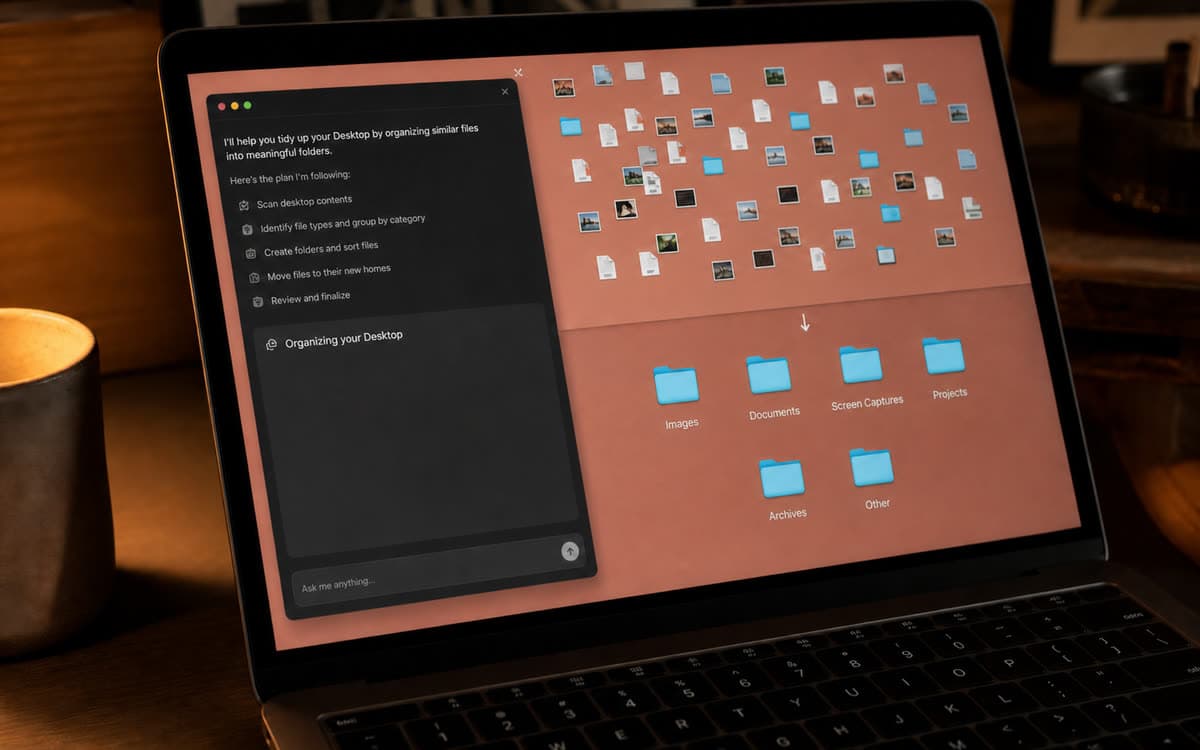
A desktop buried in screenshots and loose files. AI organized what was already there, new captures now land in one folder, and a cleanup runs every Sunday.

A desktop AI agent working through a scattered Desktop: it lists its plan, then the loose screenshots and files resolve into folders including Images, Documents, Screen Captures and Projects.

02Client AI system

Complaint Operations & Backlog Overview

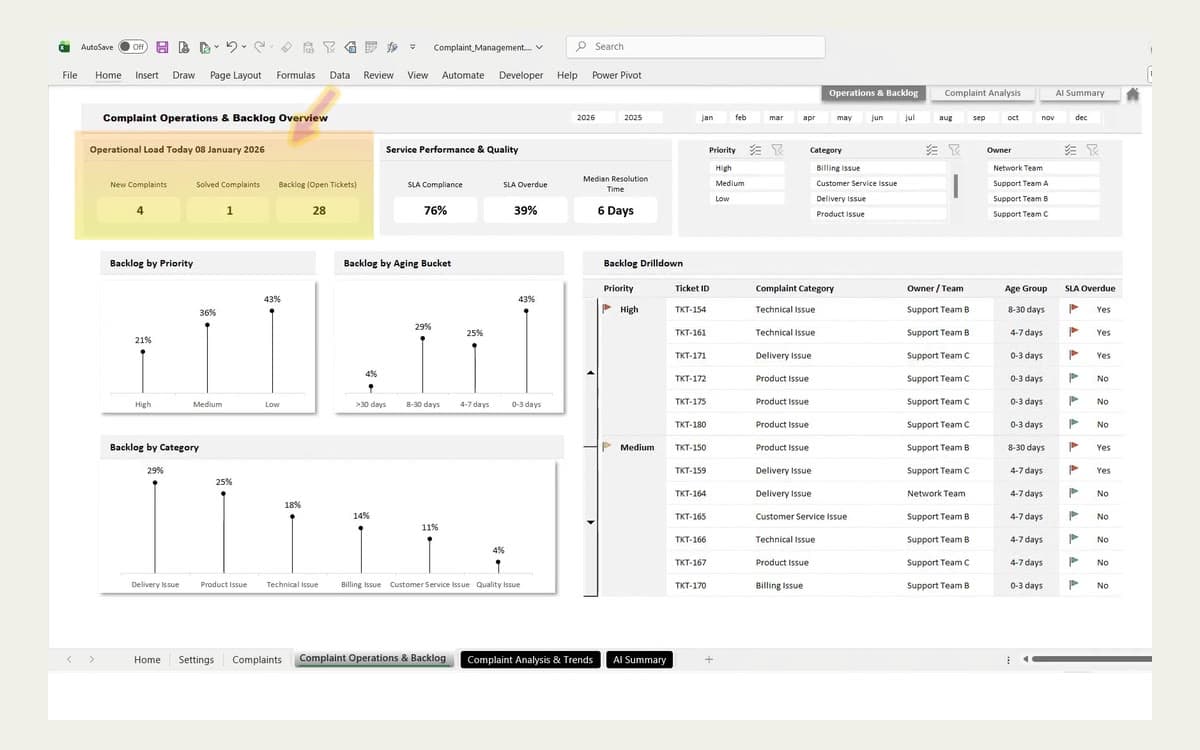
A complaint operations view for a client's support teams: SLA compliance, resolution time, and backlog by priority, age and category, with every open ticket traceable to an owner. Shown with prototype data.

A reporting dashboard built on prototype data: an operations overview with load counters, service-quality percentages, backlog charts by priority, age and category, and a drilldown table of tickets.

03Video system

Video Creation and Repurposing

Built as a program in Claude Design rather than a render: named scenes, a shared design system, colour as a live parameter. The content creator's shorts came out of it, re-cut for YouTube Shorts, Instagram Reels and Facebook Reels.

A Remotion project open beside an AI conversation: a vertical composition previewing "THE MATH — 100 × 100" above a timeline of eight named scenes from Hook to Close, totalling 48.5 seconds.

04Multi-AI experiment

This Website Was a Shared Project

I used different AIs around the same project files — story, design system, motion direction, media and the finished site — without starting over at any handoff.

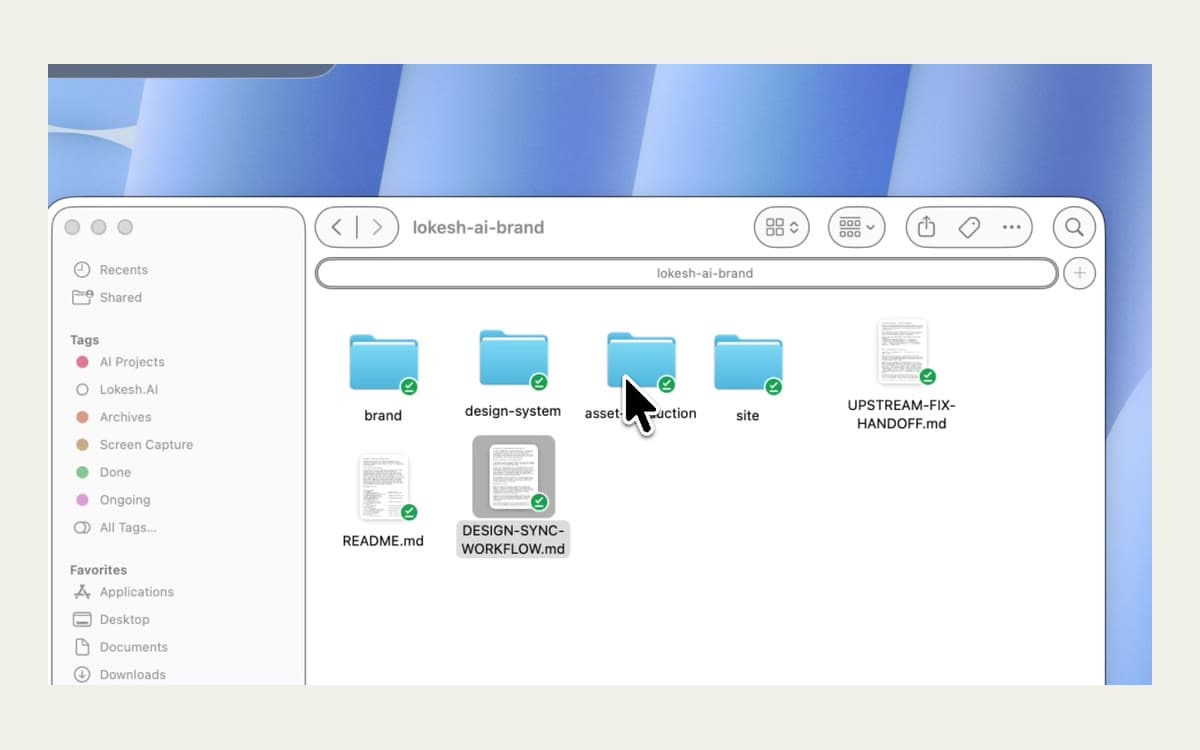
A macOS Notes document titled "Lokesh.ai — Brand Kit & Design System", listing the project's package structure including README.md, CLAUDE-CODE-START.md and DESIGN-SYNC-WORKFLOW.md.

In their words

Small wins and business outcomes both count.

01 · Video review

Cassandra

Client review · Captions included Transcript: Working with Lokesh was an easy, relaxed, positive experience. I couldn’t be more thankful for him getting back to me so soon. His expertise and knowledge—it was just a really great, easy, relaxed experience, and I can’t be more thankful.
02 · Written review

Yvonne Robinson-Jackson

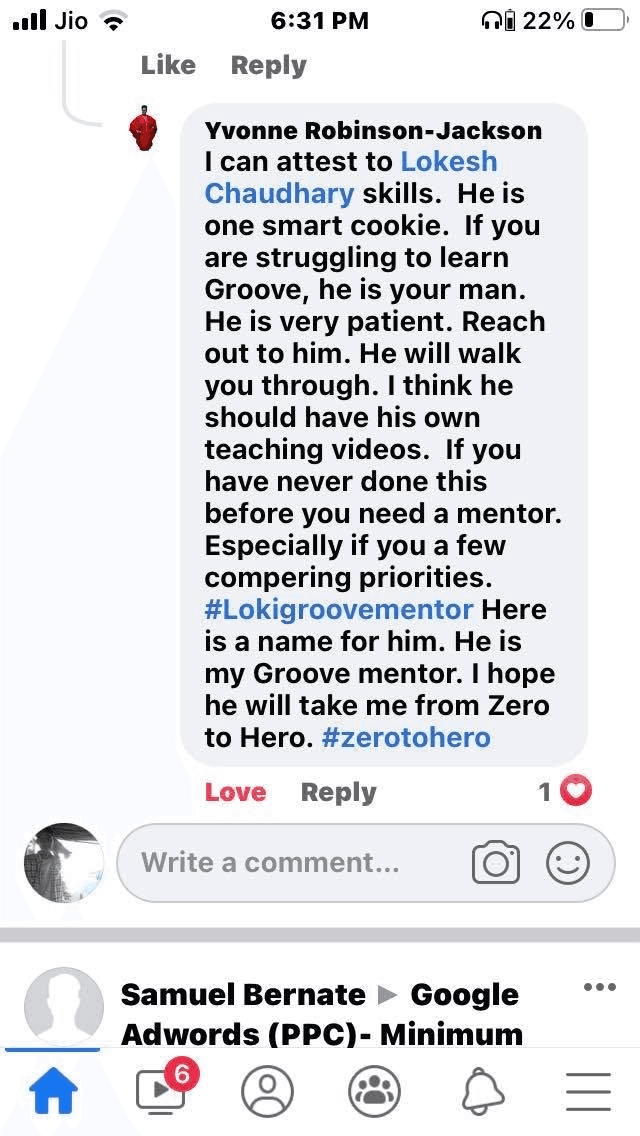
Yvonne Robinson-Jackson recommends Lokesh as a patient Groove mentor who walks beginners through the process.
Client comment · Shared in Yvonne’s own words

A small break

I build things. Stack one.

A tiny arcade moment, built the same way as everything else here — one real idea, improved until it worked, then kept. It stays silent and still until you tap it.

Work with me

I build AI systems for businesses.

Support agents, client reporting, lead follow-up, content workflows, websites. Plain-language outcomes on the front; the machinery is one flip away.

Support agentsClient reportingContent workflowsWebsites
Start a conversation